Browsing the log file
Log on to the MFA Compare and Synchronization Monitor.
From Eclipse, on the
Run
menu, select
Tools
>
MFA Compare and Synchronization Monitor
.
From an
Enterprise Developer command prompt
, enter
mfmonmx2
.
On the
File
menu, choose
Browse Log File
.
The latest log file appears in Notepad.
Note:
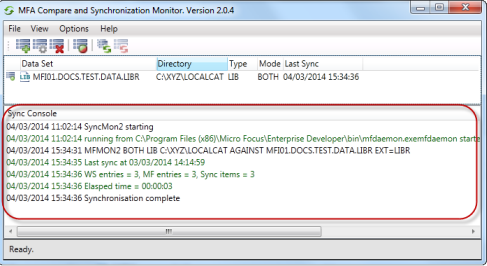
Log details from the current session also appear in the
Sync Console
:
上位ヘルプ:
ログの出力
関連情報
Working directory
Changing the working directory